
phpMyAdmin is fine for you, awful for your client.
You know your way around it. They don't. So every time they need to change a price, check an order or fix a typo, it comes back to you — because the alternative is handing someone a screen with a DROP TABLE button on it.
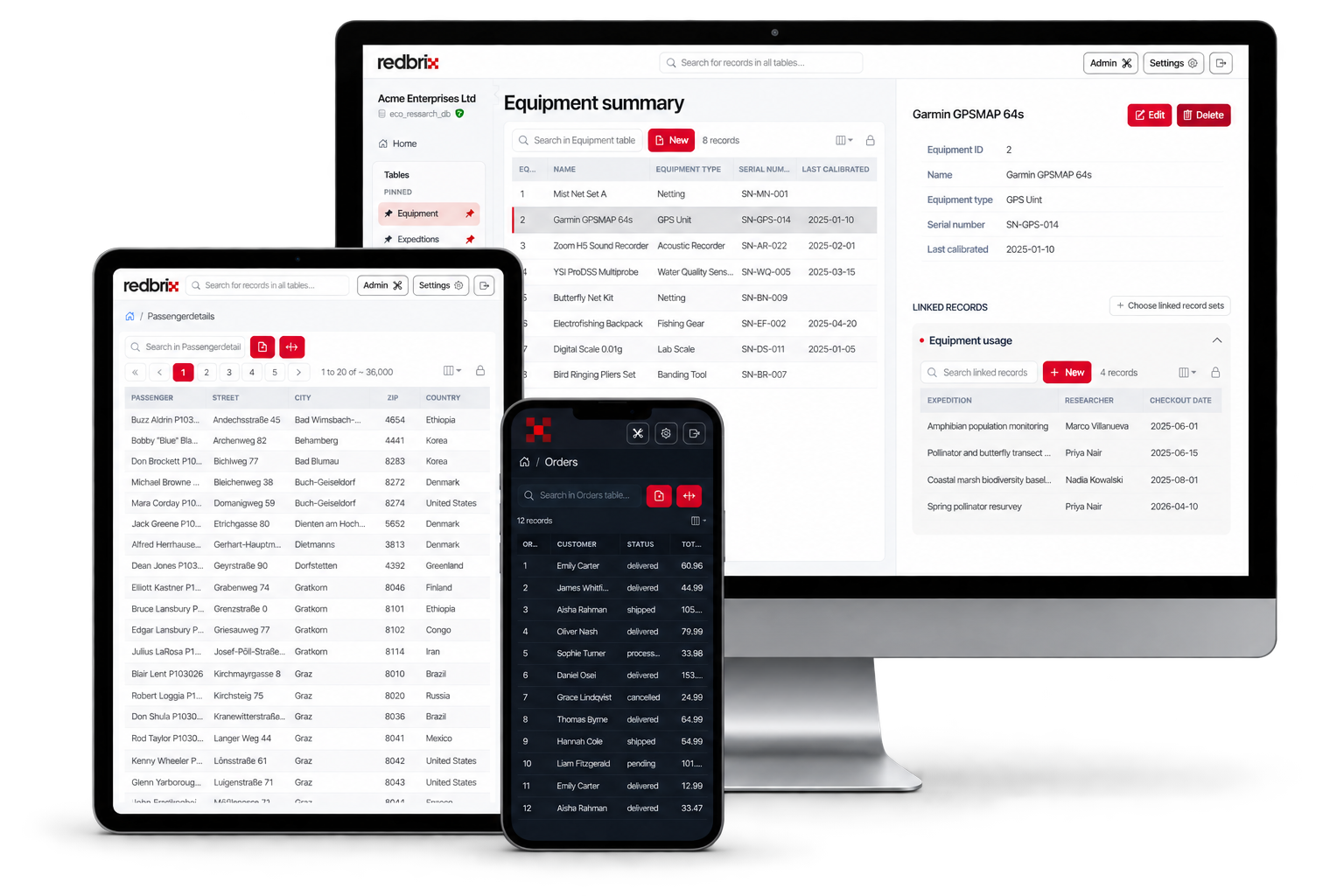
Redbrix is a clean, browser-based front-end for the MySQL and MariaDB databases you already run. Point it at your database and the people who own the data can work with it themselves — without touching SQL, and without touching your schema.
Free plan, no card required · Works with your existing MySQL or MariaDB · Nothing to install
You've had this week before
“Can you just update this one field?” — for the fourth time this month, on a Friday afternoon.
You wrote a three-page document explaining which tabs not to click. They clicked them.
So you built them a small admin panel instead. Now you maintain a small admin panel, forever.
Same database. Very different experience.
phpMyAdmin is a good tool doing a job it was never designed for. Here's what changes when the person at the keyboard isn't a developer.
Database administrators who already know SQL and schema design.
The people who actually own the data — staff, clients, ops teams.
Whatever the schema says: cust_ref_2, dt_created, is_actv.
Friendly labels you set per table, so a field reads like a form field.
Write a JOIN, or copy an ID and go hunting in another table.
Linked records are resolved from your foreign keys and shown inline.
DROP TABLE, TRUNCATE, an SQL tab, export, and the structure editor.
Browsing and editing. The destructive surface simply isn't in the UI.
Install it, host it, lock it down, and keep it patched yourself.
Send them a link. Nothing to install, nothing to maintain.
Technically it loads. Nobody has ever enjoyed it.
Built to be used on a phone or tablet as well as a desktop.
What they get instead
Fields with real names
Give every column the label your client already uses for it. They read a record, not a row.
Records that connect
Redbrix reads your foreign keys, so an order shows its customer — no JOIN, no copying IDs between tabs.
Access you already control
Redbrix works through the database user you give it. Grant read-only, and read-only is what the interface offers.
Usable away from a desk
The same interface on a laptop, on a tablet in a warehouse, or on a phone in a car park.
Keep phpMyAdmin. Keep your CLI, too.
Redbrix isn't a replacement for your tooling — it's the thing you point everyone else at, so they stop needing yours. Nothing is installed on your server and nothing is changed in your schema.
Your migrations, your backups and your existing workflow carry on exactly as they are.
Before you ask about credentials
- Connections to your database are encrypted with TLS by default. If your server can't support it, Redbrix says so rather than quietly downgrading.
- Your database password isn't stored at all by default. Saving one for a shared team connection is an explicit, admin-only choice.
- Your table data is never cached, mined or shared. It passes through to the browser, and that's the end of it.
Stop being your client's database.
Open a live demo and see the interface in about ten seconds, or connect your own database on the free plan. Either takes less time than answering the next email.
The demo needs no sign-up and resets every hour — you can't break anything.